
Collection pages are your money pages. Fix them first
Your blog posts rank and your collection pages do not, so the traffic you get is the traffic that cannot buy. The fixes are specific, and most of them are Shopify quirks.
Your blog posts rank. “How to style linen trousers” brings in 400 visitors a month and sells nothing. Meanwhile /collections/linen-trousers sits on page three, which is where the people who want to buy linen trousers are not looking.
This is the most common shape of a Shopify SEO problem. Collection pages are the templates that match commercial queries, and on most stores they are the least optimised pages on the site: 20 words of copy, a filter system generating thousands of near-duplicate URLs, and a grid of images named IMG_4471.jpg. Here is the order we fix them in.
Why collection pages are the real money pages
Match the query to the template. Someone searching “linen trousers” wants a range to choose from, not one product and not an article. Google knows that, which is why the results for category-level phrases are overwhelmingly category pages. Your product page can only win the long tail of its own name; your collection page can win the phrase that the whole category is searched by.
So the hierarchy for budget and attention is: collection pages, then the product pages for your best sellers, then content. If your traffic is heavy on content and light on collections, you have the conversion problem described in why Shopify traffic does not turn into sales — the visitors are real, they are just the wrong ones.
Thin collection copy, and where to put the words
Most collection templates render the description in one block, either above or below the grid. Above, and 600 words pushes the products below the fold. Below, and nobody reads it. Split it:
- Above the grid, 150-300 words. What the range is, who it suits, what makes yours different, one sentence on materials or fit. This is the passage that can win a snippet, so make the first sentence answer the query directly.
- Below the grid, as long as it needs to be. Buying guide, sizing and fit notes, care instructions, two or three FAQs with
FAQPageschema, and links to related collections.
Implement it as two metafields (collection.metafields.custom.intro_text and custom.guide_text) rather than overloading the single description field, so your merchandisers can edit one without breaking the other. Then write them per collection. Templated copy with the category name swapped in will be treated exactly as the duplicate it is, and for fashion stores with 80 collections that temptation is strong and always backfires.
Also check: unique <title> and meta description per collection, an <h1> that is the collection name rather than the shop name, and no collection sitting on the default theme text.
Faceted navigation: the duplicate URL factory
Shopify’s filtering appends parameters such as ?filter.v.option.colour=black and ?sort_by=price-ascending. Multiply four filter groups by three sort options and one collection becomes hundreds of URLs with the same products in a different order.
| Symptom | Likely cause | Fix |
|---|---|---|
| Search Console shows thousands of “Duplicate, Google chose a different canonical” pages | Filter and sort URLs being crawled and indexed | Confirm filtered URLs canonicalise to the unfiltered collection |
| Crawl budget spent on parameter URLs, new products indexed slowly | Internal links or sitemap exposing facets | Remove facet links from the sitemap and nav; keep them in the UI only |
| A filtered view ranks instead of the collection | Google judging the facet more relevant | Promote that facet to a real collection with its own copy and handle |
| Sold-out filter combinations indexed | Thin or empty facet pages crawled | Keep them out of the index; they have nothing to rank for |
The decision that matters is which facets deserve to be real pages. If “black linen trousers” has genuine search demand, build /collections/black-linen-trousers as a proper collection with its own intro copy, title and internal links. If “linen trousers sorted by price descending” does not, keep it as a parameter and out of the index. Two or three promoted facets per major category is usually the right number, not twenty.
Canonicals, pagination and the Shopify-specific traps
Four checks, each of which takes five minutes:
- Product URLs through collections. Open a product by clicking from a collection. The URL will be
/collections/x/products/y. View source and confirm<link rel="canonical">points to/products/y. Shopify does this by default; customised and headless themes are where it breaks. - Pagination. Each
?page=2URL should carry a self-referencing canonical, not one pointing back to page one. Infinite scroll is fine for shoppers as long as crawlable pagination links still exist in the markup. - Internal links. Link to products at
/products/handlethroughout your content and navigation. Consistency makes the canonical signal unambiguous. robots.txt.liquid. You can edit it in Shopify. Use it for genuine crawl waste, carefully, and never to block a template you also want out of the index — blocked pages cannot have their canonical or noindex read at all.
Internal linking: send authority to the collections
This is the fastest ranking move on most stores, because the links already exist in the wrong configuration.
- Every blog post that mentions a category links to that collection, anchored on the phrase the collection targets. “Our linen trousers” rather than “shop now”.
- The “how to style linen trousers” post that ranks should link to
/collections/linen-trousersin its first two paragraphs. Traffic you already have, pointed at the page that can sell. - Link between sibling collections in the below-grid copy: linen trousers to linen shirts to the linen range.
- Keep every collection reachable within two clicks of the homepage. Collections only in the sitemap behave like orphans.
- Point a handful of product page links back up to the parent collection. Flow goes both ways.
Images: filenames and alt text
Shopify keeps the uploaded filename in the CDN URL permanently, so renaming after the fact means re-uploading. Rename before upload: linen-wide-leg-trousers-sand.jpg, not IMG_4471.jpg.
Alt text describes the item for someone who cannot see it, which is also what makes it useful for image search: “Sand linen wide-leg trousers, front view, model wearing size 10”. Not “linen trousers buy online UK”. Serve images at the dimensions they render at, use the theme’s image_url filters with explicit widths, and let Shopify handle WebP conversion rather than installing an app to do it.
Speed, because collection pages are the slowest template
Collection pages carry 24 to 48 images, a filter widget and usually three or four apps. That combination is why they fail Core Web Vitals when the homepage passes. Speed is a confirmed ranking input and a conversion input, and the second reason is the bigger one.
The short list: lazy-load everything below the first row of products, preload the first two product images, remove review and filter apps you are not using rather than deferring them, cut the number of products rendered per page to something sensible, and check Largest Contentful Paint on a collection URL specifically rather than trusting a homepage score. There is more detail in our guide to making a Shopify store faster.
What this looks like when we do it
On a Shopify speed audit and redesign the collection templates were the whole story: image handling, app bloat and a filter system generating more URLs than the store had products. We fix in that order — canonicals and facets first so crawling is not wasted, then copy and internal linking, then speed — because content added to a template that is duplicating itself just creates more duplicates. The Shopify build team does the template work and the SEO team does the structure, which is usually the same engagement.
The useful next step is small: open Search Console, filter Pages by “Duplicate, Google chose a different canonical”, and count. If that number is larger than your product catalogue, your crawl budget is being spent on sort orders. The free audit covers exactly that, and you keep the action plan either way.
Common questions
Should I add text to my Shopify collection pages?
Yes, but split it. Put 150 to 300 words of genuinely useful introduction above the product grid, and the longer buying guide, sizing notes and FAQs below it. That gives search engines something to rank without burying the products the shopper came for.
How do I stop Shopify filters creating duplicate pages?
Keep faceted URLs out of the index rather than trying to optimise them. Ensure filtered and sorted URLs carry a canonical to the unfiltered collection, do not link to them from your sitemap or navigation, and promote only the one or two filter combinations with real search demand into standalone collections with their own copy.
Do /collections/x/products/y URLs hurt SEO?
Only if the canonical is wrong. Shopify's default behaviour is to canonicalise those URLs to /products/handle, and most themes keep it. Problems appear in customised or headless themes where the canonical tag was rewritten. Check the page source of a product reached through a collection and confirm the canonical points to the clean product URL.
How should Shopify collection pagination be handled?
Give each paginated URL a self-referencing canonical, keep the pages crawlable, and link page two onwards from the pagination controls rather than hiding them behind infinite scroll alone. Do not canonicalise page two back to page one, because that can stop deeper products being discovered.
Does site speed affect Shopify SEO?
Yes, as one input among many. Core Web Vitals are a confirmed ranking signal and collection pages are usually the slowest templates on a store because of large image grids and filter apps. Speed also changes conversion rate, so it tends to be worth fixing on commercial grounds before SEO ones.
Proof from our work
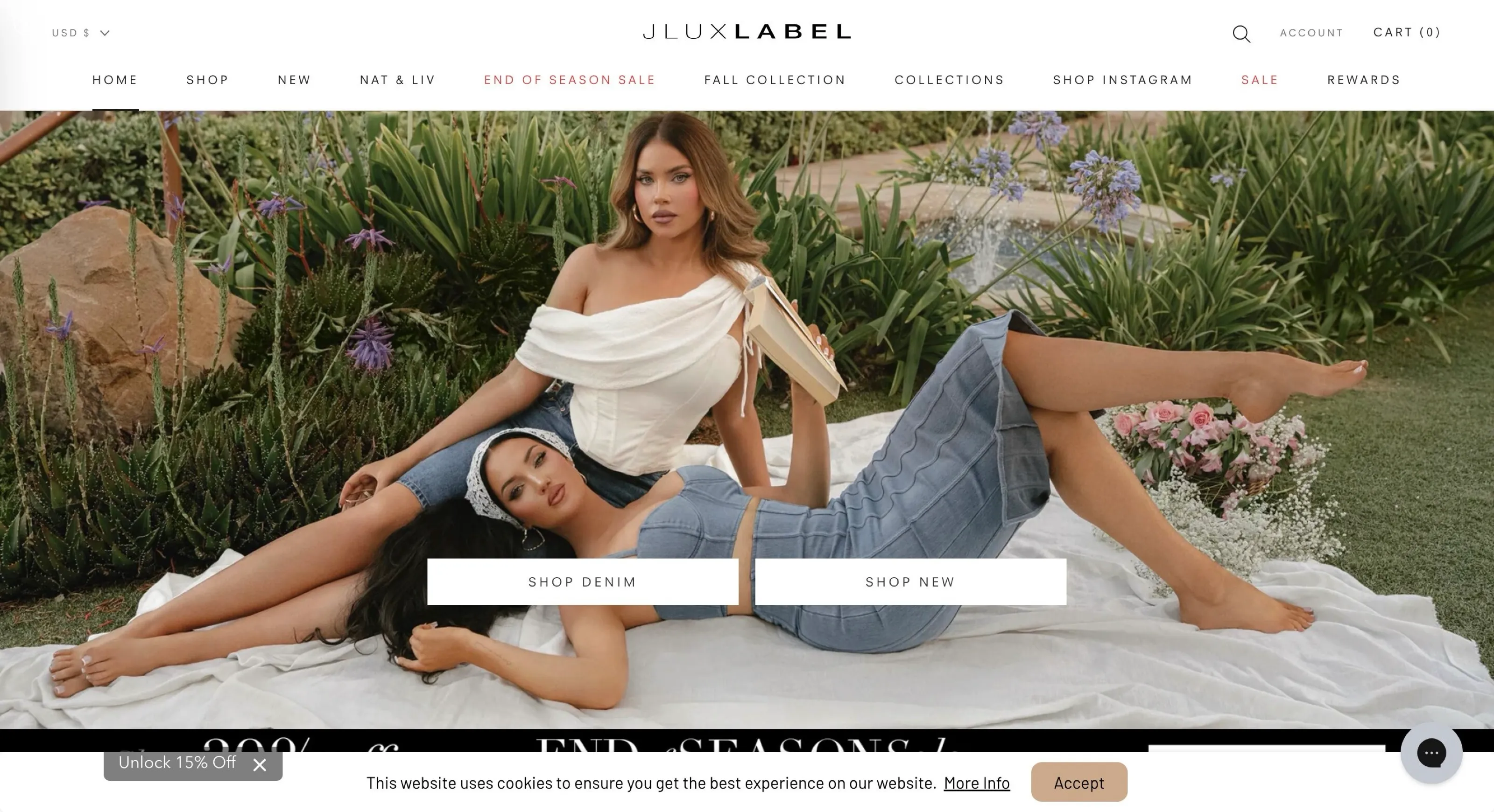
Shopify store speed audit and redesign
- Audited speed and UX and prioritised the fixes with the biggest impact
- Redesigned the homepage and collection pages for trust and clarity
- Integrated dropshipping and marketing apps without hurting load time
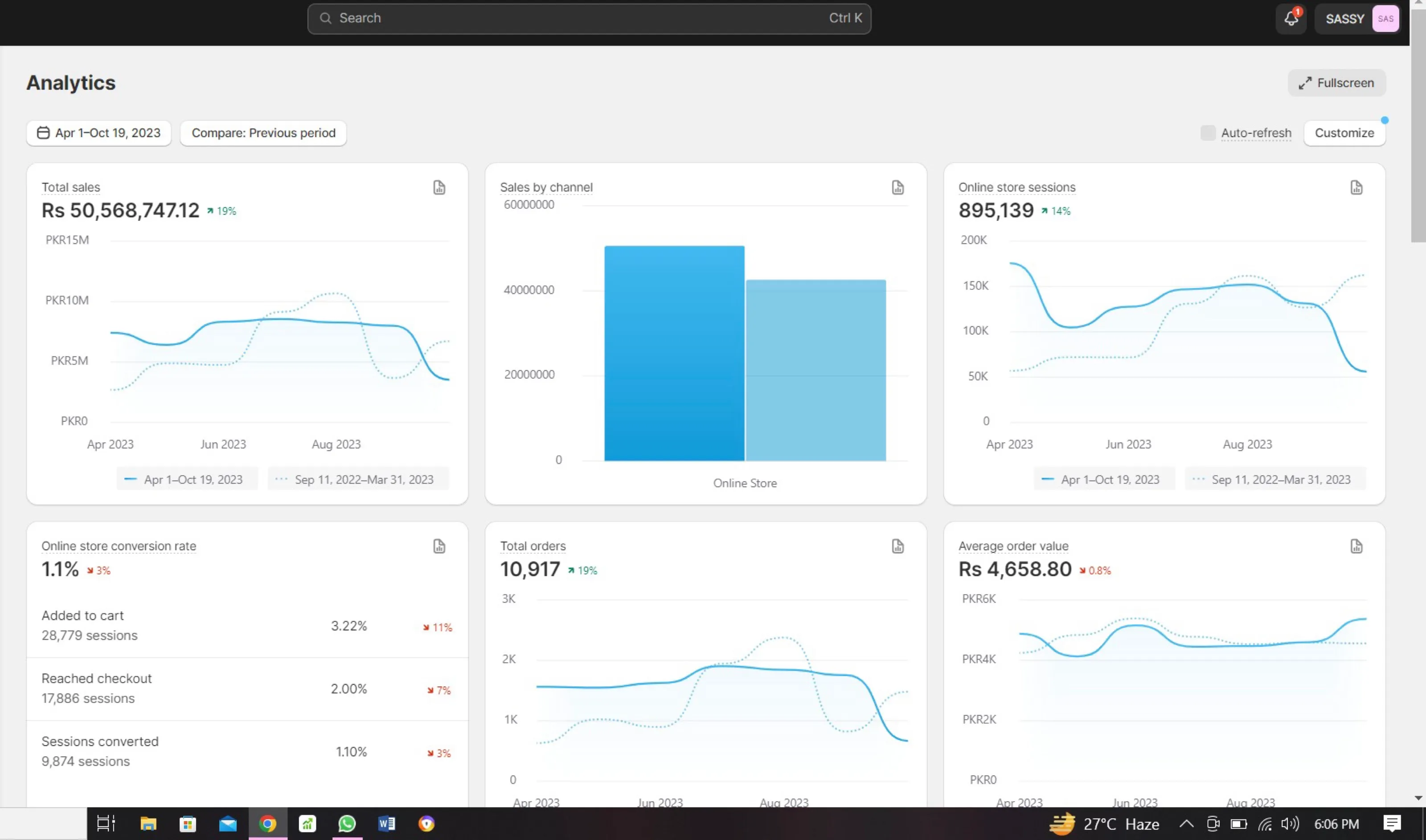
Ongoing growth partnership
We have worked with the Sassy's fashion store for almost three years, running social campaigns, email marketing, SEO, website development, content and influencer collaborations as one connected team.
Read case study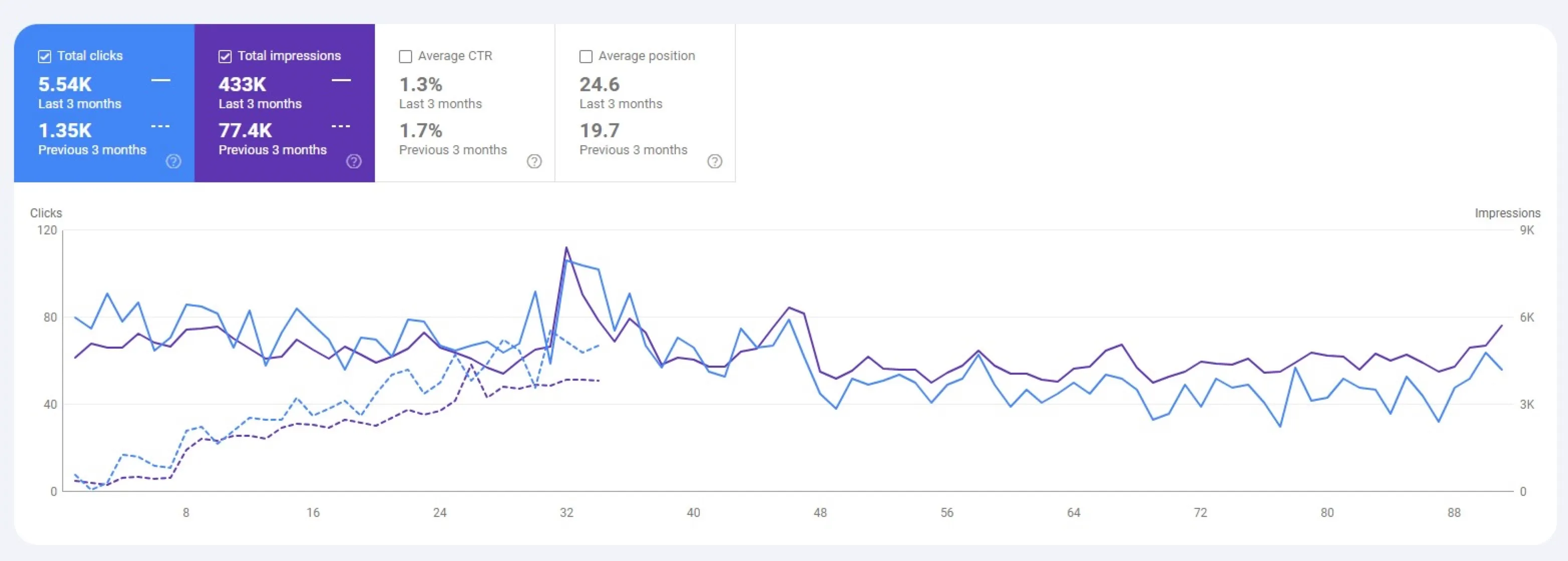
1.35K → 5.54K organic clicks in 3 months
A business wanted first-page rankings for its core terms. Starting with a full audit, we fixed the technical issues, rebuilt the key pages around search intent and earned links. In three months clicks went from 1.35K to 5.54K and impressions from 77.4K to 433K.
Read case study