
Why your Shopify store is slow, and the fix order that pays
Most slow Shopify stores are slow for three or four identifiable reasons, none of which is the platform. Here is how to find yours and what to fix first.
Someone told you the store feels slow, you ran a test, and you got a number between 30 and 60 with a list of warnings about unused JavaScript. That list is not a plan. Most of it you cannot action, some of it would break your store, and the two things that genuinely matter are not at the top.
Here is what actually makes Shopify stores slow, how to measure it so you are not chasing a lab artefact, and the order to fix things in.
Where the time actually goes
Shopify’s servers and CDN are fast, and they are not your problem. Nearly all of the delay your customers feel is added in the browser, by things you or an app put on the page. In the stores we audit, it is usually some mix of:
- One or two images far larger than the space they appear in.
- Three to six app scripts, loaded on every page regardless of whether the page uses them.
- Script tags and theme snippets left behind by apps that are no longer installed.
- Four or more font files, loading before any text appears.
- Marketing and chat tags added directly to
theme.liquidrather than deferred. - A homepage carousel or video section that loads everything up front.
- Theme code that queries collections or metafields in a loop on every page load.
Notice what is absent: your product count, your traffic, and your Shopify plan. Those almost never explain it.
How to measure it properly
There are two kinds of speed data and they answer different questions.
Lab data is a single simulated load on a simulated device. PageSpeed Insights, Lighthouse in Chrome DevTools and the Shopify speed score all produce it. It is repeatable and useful for comparing a change you just made against the version before it. It is not evidence about your customers.
Field data is measured from real visits on real devices. In PageSpeed Insights it is the top section, labelled “Discover what your real users are experiencing”, drawn from the Chrome User Experience Report. In Google Search Console it is the Core Web Vitals report, split by mobile and desktop and grouped by page type. This is the data worth making decisions on, because it contains your actual audience’s phones and networks.
Two rules that will save you a wasted week:
- Test the same page three times and take the median. A single Lighthouse run can swing by 15 points for no reason.
- Always look at mobile separately. A store that is fine on desktop and unusable on a four-year-old Android is a very common situation, and the blended number hides it.
The Shopify speed score deserves a specific warning. It is a lab score averaged across your home page, your most-visited product page and your most-visited collection page. It does not include your cart, your blog or your landing pages, and it is calculated on a simulated mid-range device. A score drifting from the low forties to the high forties tells you almost nothing. Mobile LCP dropping from nearly four seconds to just over two tells you plenty.
Which metric explains which symptom
Core Web Vitals sound abstract until you map them to what people complain about.
| What people say | Metric | Usual cause | What to change |
|---|---|---|---|
| “It sits on a blank screen” | LCP (largest contentful paint) | Oversized hero image, or a render-blocking script above it | Compress and correctly size the hero, preload it, defer scripts |
| “Text appears late” | LCP, first contentful paint | Fonts loading before text renders | Limit to two weights, use font-display: swap, preload the main font |
| “The page jumps while I read” | CLS (cumulative layout shift) | Images or embeds without dimensions, late-loading banners | Set width and height on every image, reserve space for banners |
| “I tap and nothing happens” | INP (interaction to next paint) | Too much JavaScript running on load, usually app scripts | Remove unused apps, defer chat and review widgets |
| “Product pages are fine, home is slow” | LCP on one template | Carousel or video section loading everything up front | Lazy-load below-fold slides, replace autoplay video with a poster |
| “It got slower last month” | Any, suddenly | A newly installed app or a pasted tag | Check your theme’s recent edits and app install dates |
Google’s published thresholds are LCP under 2.5 seconds, INP under 200 milliseconds and CLS under 0.1, at the 75th percentile of real visits. Those are the targets. Anything beyond them is diminishing returns.
Apps, and the scripts uninstalled apps leave behind
This is the most common finding and the one store owners are most surprised by. Shopify removes an app’s access when you uninstall it. It does not reliably remove the code the app injected.
Go looking in four places:
- Online Store, Themes, Edit code,
theme.liquid. Read every<script>tag between<head>and the closing body tag. Anything referencing a service you no longer pay for comes out. - The
snippetsfolder. Apps commonly add a snippet and a render tag. Search the theme for the app’s name. - Settings, Checkout, additional scripts on plans that still expose it. Old pixels accumulate here and nobody ever removes them.
- Settings, Customer events. Custom pixels added for tracking, some of which are duplicates of each other. If you are not sure which of these are load-bearing, read GA4 showing the wrong numbers before deleting anything, because removing the wrong tag will quietly break your revenue reporting.
For the apps you are keeping, ask one question each: does this need to load on every page? A review widget belongs on product pages. A currency switcher belongs everywhere. A quiz app belongs on one page. Most themes let you gate a snippet with a simple template check, and that alone can cut a second from your product pages.
Images, fonts and the hero
Images are the best effort-to-payoff fix on the list, and you do not need a developer.
- Export heroes at no more than twice their displayed width. A full-width hero rarely needs to be wider than 2,400 pixels, and most are uploaded at 5,000.
- Keep hero files under about 200KB and product images under 100KB. Shopify serves WebP automatically, but it cannot undo a badly compressed original.
- Use the theme’s responsive image tags so phones are not downloading desktop files. If your theme hardcodes
img srcwithoutsrcset, that is a theme code problem. - Never lazy-load the hero. Lazy-loading the first visible image makes LCP worse, not better.
Fonts are the quiet one. Two families at two weights each is four files, and if they are self-hosted without preloading, nothing renders until they arrive. Pick one family for headings and one for body, two weights total where you can, and preload the one used above the fold.
Theme code, sliders and heavy sections
If you have done all of the above and mobile LCP is still over three seconds, the theme is the constraint. Signs that it is: a section that loads a full product catalogue to render six cards, inline CSS repeated on every section, a carousel library loaded on pages with no carousel, or a page builder app rendering your home page.
At that point you have a genuine decision, and it is not a speed decision any more. Patching a theme you will replace in six months is wasted money, and replacing a theme that works is wasted money too. Rebuild or redesign walks through how to choose. Where the structure is sound and only the sections are heavy, rebuilding the sections is usually the cheaper route, and it is most of what our web development work on existing stores involves.
Fix it in this order
Effort rising, payoff falling. Stop when you hit your thresholds.
- Compress and resize the hero and the top five product images. An afternoon. Often the single largest LCP gain.
- Cut fonts to two weights and preload the primary one. An hour.
- Delete leftover scripts from uninstalled apps. An hour of reading, and it never regresses.
- Gate remaining app scripts to the templates that need them. Half a day.
- Defer chat, reviews and marketing tags below the fold. Half a day.
- Set explicit dimensions on every image and reserve space for banners. Fixes CLS, cheap.
- Lazy-load below-fold carousel slides and replace autoplay video with a poster image. A day.
- Rewrite the heaviest sections. Several days, developer required.
Resist reordering this list to start with the most interesting problem. The boring image fix beats the clever one almost every time. And remember that speed is not the only reason a fast store does not sell: if the store is quick and the orders still are not coming, traffic but no sales is the diagnosis to run next.
What this looks like when we do it
On a Shopify store speed audit and redesign, we audited speed and user experience together, prioritised the fixes with the biggest impact rather than working down the Lighthouse warning list, and rebuilt the homepage and collection pages for clarity. The store still needed its dropshipping and marketing apps, so those were integrated deliberately rather than removed: the point was not fewer apps, it was no app loading where it was not used.
What to decide now
Run PageSpeed Insights on your home page and your best-selling product page, look only at the field data section, and write down mobile LCP for both. If either is over three seconds, you have a week of work in the list above and you do not need anyone’s permission to start it.
If the numbers are fine and the store still feels slow to you, the problem is probably perceived performance rather than load time, and that is a design question. Either way, a free audit will tell you which: a strategist reviews the store first, 30 minutes on the call, and you keep the one-page plan whether you hire us or not.
Common questions
Why is my Shopify store loading slowly?
Almost always a combination of four things: oversized hero and product images, scripts from installed and previously uninstalled apps, several font files loading before anything renders, and third-party marketing tags that block the page. The platform itself is rarely the limiting factor.
Does the Shopify speed score matter?
Only as a rough direction of travel. It is a lab test averaged across your home page, a product page and a collection page, run on a simulated mid-range device. It cannot see your real visitors' devices or networks, so use Core Web Vitals field data for decisions and treat the score as a sanity check.
Do Shopify apps slow down your store?
Most apps add at least one script to every page, whether or not the page uses the app. Four or five such apps add up to real delay. The bigger issue is leftovers: uninstalling an app often does not remove its script tag or the snippet it added to your theme files.
How fast should a Shopify store be?
Judge it by Core Web Vitals thresholds published by Google: largest contentful paint under 2.5 seconds, interaction to next paint under 200 milliseconds, cumulative layout shift under 0.1, measured on real visits at the 75th percentile. Chasing a specific score below those thresholds rarely pays.
Proof from our work

Shopify store speed audit and redesign
- Audited speed and UX and prioritised the fixes with the biggest impact
- Redesigned the homepage and collection pages for trust and clarity
- Integrated dropshipping and marketing apps without hurting load time
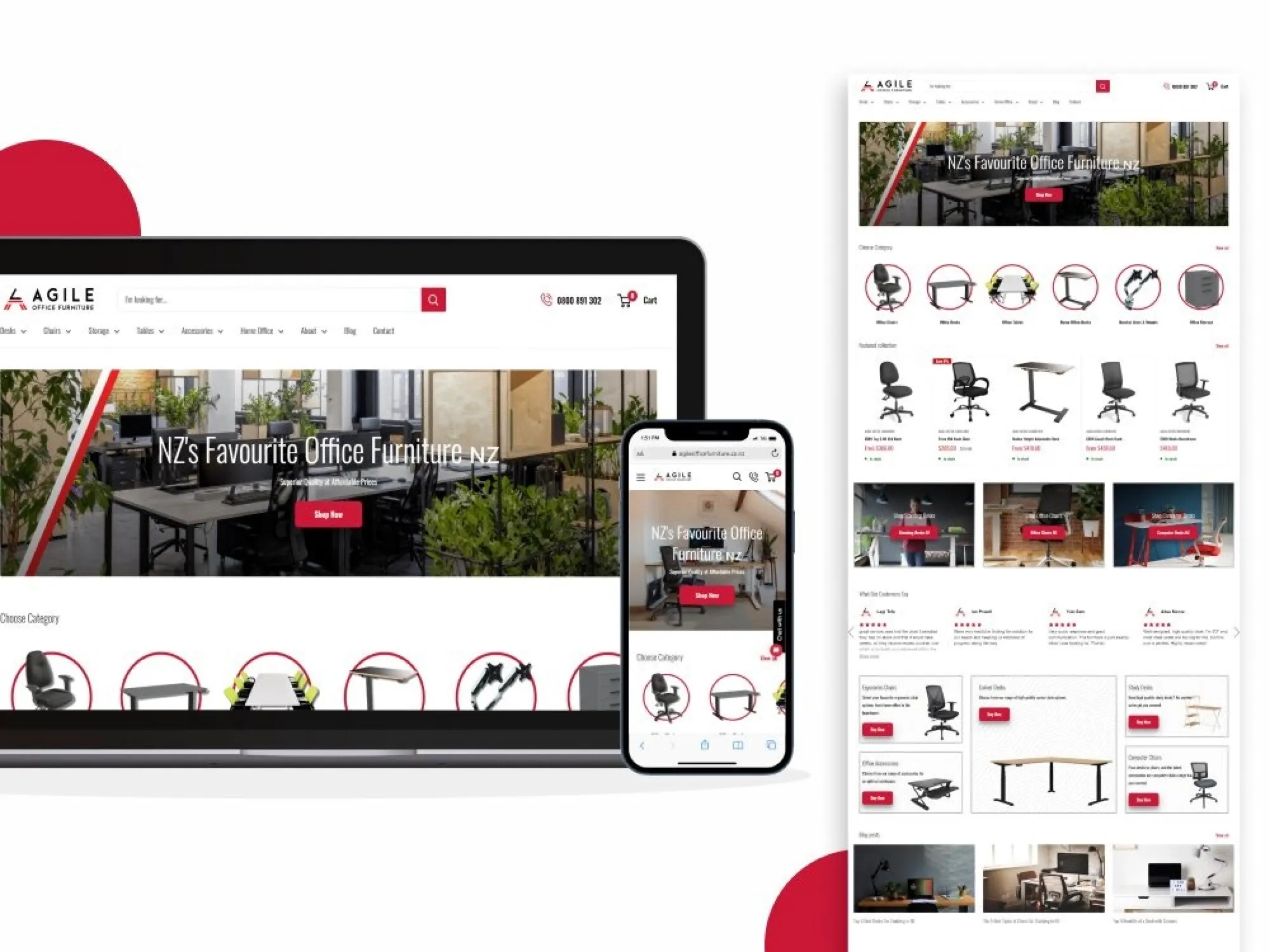
Shopify theme upgrade with custom sections
- Upgraded the theme to the latest version without losing customisations
- Added custom sections and bespoke functionality in Liquid
- Kept everything responsive and editable from the theme editor
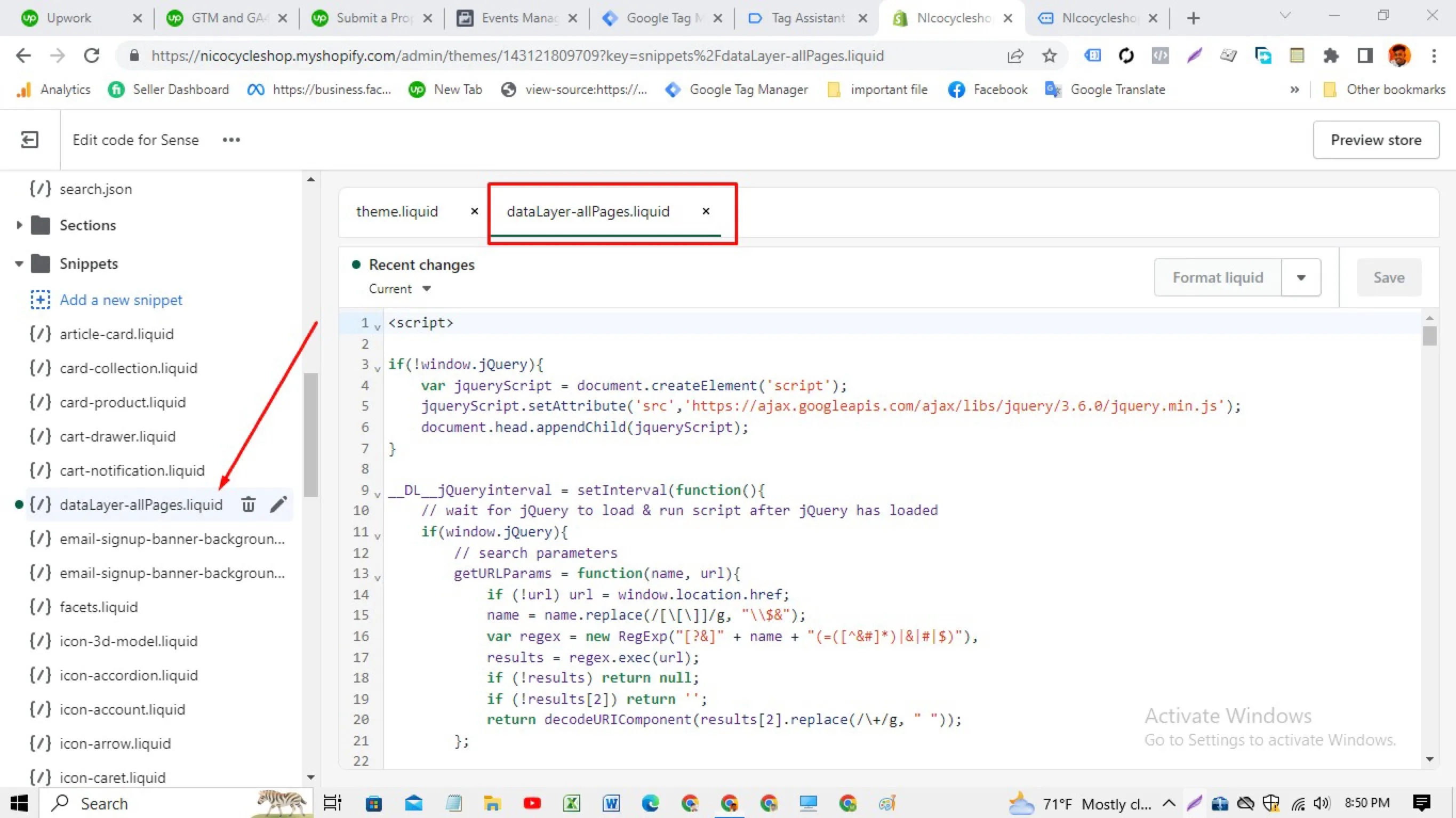
Shopify data layer built in the theme, with no tracking apps
- Wrote a data layer snippet in the theme's Liquid files that outputs product,…
- Loaded Google Tag Manager from the theme and built the GA4, Google Ads and Meta tags…
- Verified with Google's Tag Assistant that the container and events fire on each template