
Traffic but no sales: how to diagnose a Shopify store
Sessions are climbing and orders are not. Before you redesign anything, work out whether the problem is the traffic, the product page, the price or the checkout.
Your Shopify dashboard says 4,000 sessions this month and nine orders. Nothing is broken. No error pages, the ads are spending, the emails are going out. Something between the click and the card is losing people, and a homepage redesign is the most expensive possible place to start looking.
Work through it in the order below. The first two checks cost nothing and rule out roughly half the usual causes.
Start with the traffic, not the store
A store converting at 0.3% from one channel and 2.8% from another does not have a store problem. It has a traffic problem on one channel, and the blended average is hiding it.
In GA4, open Reports, then Acquisition, then Traffic acquisition. Set the dimension to Session default channel group and look at purchases and session key event rate side by side. Then read it like this:
- Direct and branded organic. People who already knew your name. If these convert badly, the problem really is on the store.
- Non-branded Google search. People with a stated need. These should convert respectably. If they do not, your product pages are not answering the question they typed.
- Paid social. Cold, interrupted, mid-scroll. It will always convert worse than search, and judging your store by this number alone will send you redesigning things that work. If this is where your spend sits, the diagnosis is a different one, covered in why Meta ads get clicks but no sales.
- Referral. A spike from one unfamiliar domain, with near-100% bounce and sessions under two seconds, is junk traffic. It inflates sessions and deflates your rate by arithmetic alone.
Three more checks, ten minutes total:
- Country. If a third of your sessions come from countries you do not ship to, your real conversion rate is much better than the one you are panicking about.
- Landing page. Sort by sessions. If your highest-traffic page is a blog post or a sold-out collection, the traffic never had a chance to buy.
- Tracking. Before trusting any of it, confirm the numbers are real. Duplicated purchase events, a missing consent configuration or an unfiltered internal IP will all distort the picture. GA4 showing the wrong numbers covers what to verify.
Which funnel step is actually leaking?
Shopify gives you the answer for free. In Analytics, open the Conversion rate breakdown: sessions, then added to cart, then reached checkout, then converted. Read the ratios, not the percentages.
- Weak session to cart means the product page or the price is the problem.
- Weak cart to checkout means something in the cart surprised them: shipping estimate, minimum spend, stock.
- Weak checkout to purchase means payment methods, final cost, or form friction.
Everything that follows is organised by which of those three you are looking at. Fix one. Measure. Then move on.
Can a stranger understand the product in five seconds?
Open your best-selling product page in a private window and read only what is above the fold on a laptop. If you cannot answer all of these, neither can a first-time visitor:
- What is it? Not the style name. “Ridged linen cushion cover, 50cm” beats “The Marlowe”.
- What does it cost, including delivery? Price visible without scrolling, with the free-shipping threshold next to it.
- What will I get? Quantity, size, material, what is in the box. One image on plain background, one in use, one showing scale.
- Will it fit? A size guide that opens in place, not a PDF download. Measurements in the units of the country you sell most to.
- When does it arrive? A delivery window in days or dates. “Ships fast” answers nothing.
- What if it is wrong? Returns window and who pays for return postage, linked on the page itself.
- Who else bought it? Reviews with photographs, on the page, not behind a tab nobody clicks.
Check the variant selectors as well. If an out-of-stock size is selectable and only fails at add-to-cart, you lose people at the last second. If choosing a colour does not swap the image, shoppers assume the photo is generic.
Where price and shipping surprise people
This is the single most common cause of a healthy-looking store with no sales, and it almost never shows up as a design complaint. The shopper did the sums on the product page, then a different number appeared.
Go and buy something from your own store with a real card. Note the exact screen where the total changes. Then check, in Shopify admin under Settings and Shipping and delivery, whether your rates match what the product page implies. The usual culprits:
- A free-shipping threshold that exists but is never stated until the cart.
- Duties and import charges on cross-border orders, collected at checkout with no warning.
- Tax shown exclusive of VAT on product pages while the checkout shows it inclusive, so every price appears to jump.
- A currency selector that changes the displayed price but not the charged one.
- Only card payment, in a market where most people expect a wallet or a buy-now-pay-later option.
Put the threshold in the announcement bar and on the product page, show an estimated delivery cost before the cart, and state duties policy plainly. Then look at what you are recovering: people who reach checkout and do not finish are the warmest audience you have, which is what makes abandoned cart emails worth setting up properly rather than leaving on the default single reminder.
Does the store look safe enough to pay?
Trust problems are quiet. Nobody emails to say they did not believe you; they open the footer, find nothing, and close the tab.
Check that you have: a returns and refunds page with a real window, a contact method that is not only a form, a physical address or at least a country, an about page written by a human, product photography that is yours rather than supplier stock, and no placeholder text left in a section. Remove any badge that makes a claim you cannot support.
Test the phone, not the desktop
Most of your traffic is mobile and most store owners test on a 27-inch monitor. Pick up a phone that is not yours, on mobile data rather than office wifi, and try to buy.
What to look for: a cookie or pop-up banner covering the add-to-cart button, tap targets too small to hit cleanly, image galleries that do not zoom, number fields that open the alphabet keyboard, a sticky add-to-cart that disappears on scroll, and express wallet buttons placed below the fold where nobody finds them.
Speed, search and navigation
Slow pages rarely stop a determined buyer, but they thin out the browsers before they reach a product. If your hero image is uncompressed and four apps are injecting scripts, start with fixing a slow Shopify store.
Then check search. In Shopify analytics, open the top online store searches report and sort by searches with no results. Every zero-result query is a shopper who wanted something you probably sell under another name. Add the synonym, or redirect it. Do the same thinking for your category pages, which is the point of collection page SEO on Shopify.
Judge your conversion rate against yourself
Published industry averages will not help you. They blend price points, categories and traffic mixes nothing like yours, and they are usually sourced from whoever is selling the report. Three comparisons that genuinely tell you something:
- Segment against segment. Same 28 days, mobile against desktop, UK against US, search against social. A gap of more than about two to one between two comparable segments is a defect, not a difference in intent.
- Trend against itself. This 28 days against the previous 28, with the traffic mix roughly constant. If the mix changed, the rate change tells you nothing.
- Step against step. The funnel ratios above. These stabilise on far less data than the overall rate, so they are the only reliable signal in your first few months.
| Symptom | Likely cause | First fix |
|---|---|---|
| High sessions, very low add-to-cart, short time on page | Traffic without buying intent, or a price mismatch with the ad | Split by source; check the ad or listing promise against the page |
| Good add-to-cart, drop before checkout | Shipping cost or minimum spend revealed in the cart | State delivery cost and threshold on the product page |
| Reached checkout, did not pay | Payment options, duties, or a long form | Enable wallets, show duties policy, cut optional fields |
| Converts on desktop, not on mobile | Pop-up or banner covering the CTA, tiny tap targets | Buy from your own store on a phone on mobile data |
| Converts from search, not from paid social | Cold traffic sent to a page built for browsing | Send campaigns to a purpose-built page, not the homepage |
| Converts from one country only | Shipping rates, currency or duties for other regions | Review shipping zones; hide markets you cannot serve |
| Rate fell suddenly with no site change | Tracking break, or a new junk traffic source | Verify purchase events; check referral report |
What this looks like when we do it
On a Shopify speed audit and redesign we followed this sequence: audit speed and user experience, prioritise the fixes with the biggest impact, then rebuild the homepage and collection pages around trust and clarity rather than redesigning for its own sake. The apps the store needed for fulfilment stayed, integrated without dragging load time down.
What to do next
You now have three possible answers rather than one. A checkout leak is a week of work and no design brief. A product page leak is a content and photography job. A leak on one traffic source only means the store is fine and the campaign needs attention.
If you would rather have a second pair of eyes first, our free audit covers it: a strategist reviews the store beforehand, 30 minutes, and you keep the one-page action plan either way.
Common questions
Why is my Shopify store getting traffic but no sales?
Usually one of four things: the traffic is not buyer-intent traffic, the product page does not answer the obvious questions, a cost appears at checkout the shopper did not expect, or the mobile experience is hard to use. Split your conversion rate by source and by funnel step to see which before changing anything.
What is a good Shopify conversion rate?
There is no number worth chasing, because it depends entirely on your price, product and traffic mix. A more useful test is whether branded and non-branded search convert far better than paid social, and whether this month's rate is holding against last month's at the same traffic mix.
Should I redesign my store if it is not converting?
Not first. A redesign changes everything at once, so you learn nothing and risk losing what already worked. Fix the leaking funnel step, the price clarity and the mobile issues first. If the theme itself is slow or unmaintainable, a rebuild is the right call, but make it a decision, not a guess.
How much traffic do I need before conversion data means anything?
Enough orders, not enough sessions. Below about 30 orders a month, a single week of data can swing your conversion rate by half, so compare 28-day periods instead. Funnel-step ratios stabilise sooner than the overall rate, which is why they are the better early diagnostic.
Proof from our work
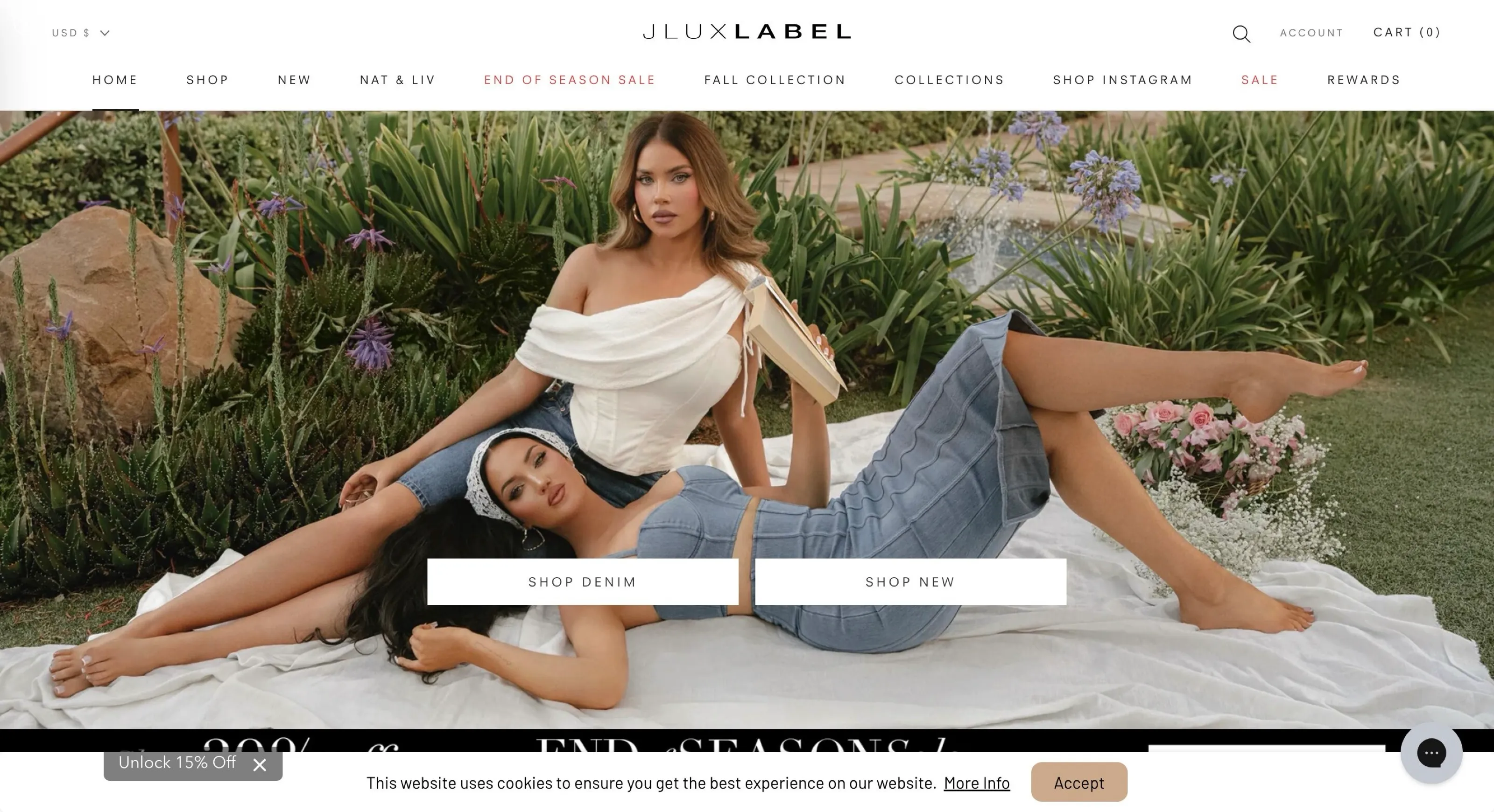
Shopify store speed audit and redesign
- Audited speed and UX and prioritised the fixes with the biggest impact
- Redesigned the homepage and collection pages for trust and clarity
- Integrated dropshipping and marketing apps without hurting load time
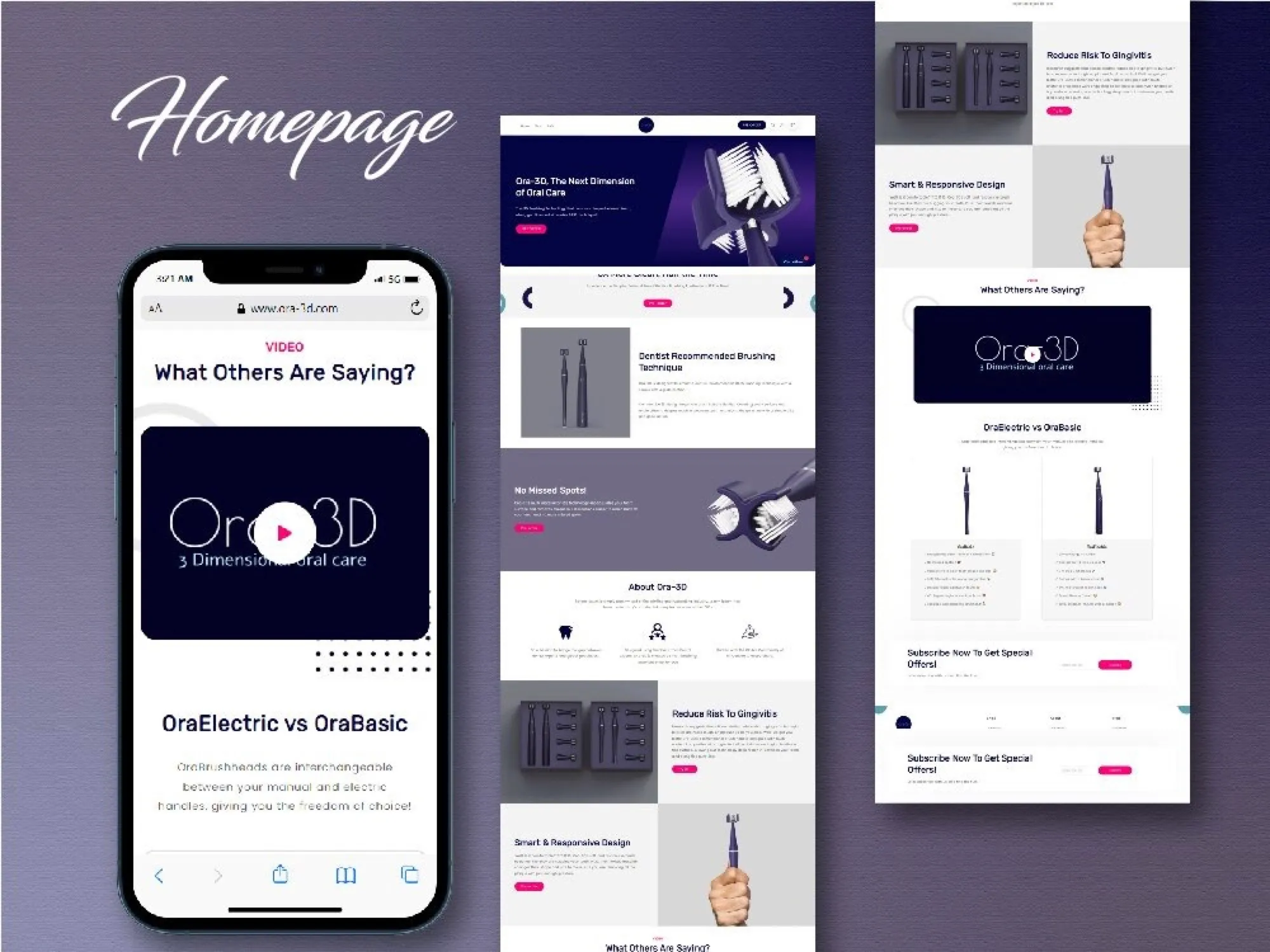
From approved Figma design to live store
ORA-3D sells toothbrushes and accessories. We designed the store in Figma first, then built the approved design as a fully responsive Shopify theme in two days.
Read case study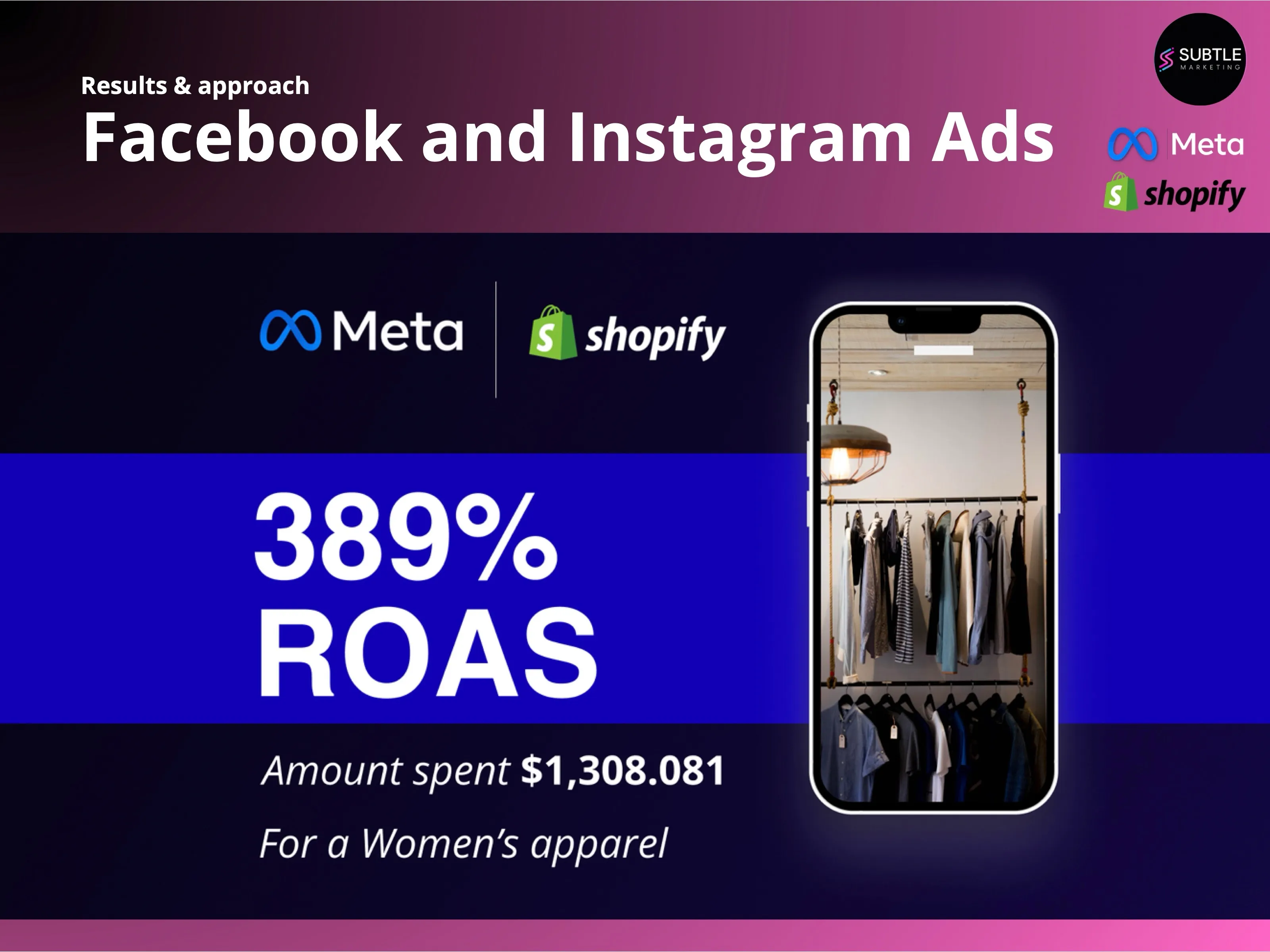
Blended return on ad spend
A Shopify women's apparel brand came to us with a 42% higher cost per conversion than target and campaigns that would not scale. Six months later the account was spending $26,849 a day at a 389% blended ROAS.
Read case study