
Clicks but no sales: what is actually broken in your Meta ads
Healthy CTR, reasonable CPC, and almost no orders at the end of the week. The leak is rarely the creative, and there are only six places it hides.
The click-through rate looks fine. Cost per click is reasonable. People are arriving on the site. Then Friday comes, you open Shopify or your CRM, and there are three orders against $1,800 of spend. Clicks are not your problem. Something between the click and the confirmation page is, and in the accounts we audit it is almost always one of six things.
Start with the objective you actually selected
Meta delivers your ad to the people most likely to do the thing you asked for. Ask for link clicks and you will get link clicks, from people who click a lot of ads and buy very little. This is the most common cause we find and it takes two minutes to rule out.
Open Ads Manager, select the campaign, press Edit, and read the performance goal. For a store it should be “Maximise number of conversions” with Purchase as the conversion event. For lead generation it should be leads, with the event that represents a real enquiry. Then check the ad set level, because the campaign and the ad set can disagree. Plenty of accounts run a sales campaign whose ad sets optimise for Add to cart or View content, because someone set it that way when purchase volume was low and never changed it back.
Optimising for an upper-funnel event on purpose is a decision, not a fault. But you cannot then judge the campaign on sales. Pick the event that matches the number you will be held to.
Does the audience match the offer, or only the interest?
An interest audience built on “yoga” finds people who engage with yoga content. That is not the same as people who buy $120 leggings. The interest matches the category; the offer still has to match what that person is willing to pay.
Use breakdowns to find where the gap opens. Add Breakdown then Delivery then Age, then run it again by Platform and by Country, and compare two columns side by side: link clicks and purchases. You are looking for a segment that supplies a large share of the clicks and almost none of the sales. On e-commerce accounts the usual suspects are Audience Network, the 18-24 band, and a low-cost country left switched on inside a worldwide ad set.
The fix is exclusion, not bid tinkering. If a placement buys cheap clicks that never convert, remove the placement. If a country converts at a quarter of the rate of your home market, give it its own ad set with its own budget so it stops subsidising itself out of your main campaign.
Where the ad stops matching the page
Most of the leak we find sits in the four seconds after the click. The ad showed one product, one price and one promise; the page is a homepage carousel, or a collection page, or the same product at a different price because the discount code is not applied automatically.
Run the click yourself, on a phone, on mobile data. Three questions: does the first screen show the same product and the same offer as the ad, is the price the one the ad implied, and is the call to action visible without scrolling? If the answer to any of those is no, you have found something more valuable than a new audience. Campaign landing pages exist for exactly this reason, and a page built for one ad will usually beat a homepage on the same traffic.
There is a diagnostic hiding in Ads Manager too. Compare Link Clicks with Landing Page Views. Landing page views are always lower, but if they are dramatically lower, people are leaving before the page loads. That is a speed problem, and it is the same root cause behind traffic that arrives at a Shopify store and does not buy.
Is your pixel feeding Meta bad data?
This is the cause that does the most damage because it gets worse quietly. If the Purchase event is missing, duplicated, firing on the thank-you page for every refresh, or passing no value, Meta is optimising towards a signal that does not describe your buyers. Delivery drifts, cost per purchase climbs, and every change you make is judged on numbers that were never right.
Four checks, all in Events Manager:
- Test Events: complete a real purchase and confirm one Purchase event arrives, once, with a currency and a value.
- Event match quality on your Purchase event: if it is low, you are not sending email, phone or external ID, and matching suffers.
- Deduplication: if you run the Pixel and the Conversions API, both must send the same event ID or every sale is counted twice.
- Aggregated Event Measurement: your priority events need to include Purchase, or iOS traffic reports almost nothing.
If any of that is unfamiliar, start with the difference between the Meta Pixel and the Conversions API and then get tracking rebuilt properly. It is the one fix that makes every later decision trustworthy.
Symptom, cause, fix: run this table top to bottom
| Symptom | Likely cause | What to do |
|---|---|---|
| Strong CTR, plenty of landing page views, almost no add to carts | The page does not deliver what the ad promised | Rewrite the first screen to repeat the ad’s product, image, price and offer |
| Link clicks far higher than landing page views | Slow page, redirect, or a consent banner blocking the pixel | Test on mobile data, check the ratio per placement, fix load time before anything else |
| Add to carts healthy, purchases near zero | Delivery cost or checkout friction revealed late | Show delivery cost on the product page, test a free-delivery threshold |
| Orders in Shopify, nothing in Ads Manager | Purchase event missing, duplicated or firing on the wrong page | Verify in Test Events, add the Conversions API and de-duplicate by event ID |
| Sales only ever come from retargeting ad sets | The cold offer is too weak for a first touch | Change the offer for cold traffic rather than the targeting |
| Results swing wildly day to day | Ad set is too small to leave the learning phase | Consolidate ad sets until each can reach roughly 50 conversions a week |
| Excellent CPC, terrible CPA, mostly 18-24 and Audience Network | Cheap placements buying cheap clicks | Exclude the placement; a bid cap will not rescue it |
When the ads are not the problem
Three faults sit outside the ad account, and we would rather tell you than sell you a campaign rebuild.
The offer or the price. If people reach the cart in reasonable numbers and abandon at checkout, the ads did their job. Shipping cost, a clumsy payment step, no returns policy and no reviews all show up at exactly that point. Fix the page, not the targeting.
The attribution window. Check what window Ads Manager is set to, because 7-day click and 1-day view report very different totals, and compare it against your store’s own numbers. Long consideration cycles and high-value products often sell outside the window you are looking at. The sales exist; the report does not see them.
Budget per ad set. Meta’s own guidance is that an ad set leaves the learning phase at around 50 optimisation events in a rolling week. Four ad sets at $20 a day, each producing six purchases a week, will all sit in learning permanently and all look like failures. One ad set at $80 a day may not. Before you accept that your ads do not work, do the budget arithmetic and see whether the account was ever funded to produce a stable result.
What this looks like when we do it
A Shopify women’s apparel brand came to us with a cost per conversion 42% above target and campaigns that would not scale. We fixed tracking first with UTMs, GA4 and server-side events, rebuilt the account into clear top, middle and bottom-of-funnel campaigns, then produced new creatives weekly and raised budgets in 20% steps. Six months later the account was spending $26,849 a day at a 389% blended ROAS. The full detail is in the women’s apparel Meta ads case study, and the order of operations in it is the point: tracking, then structure, then creative, then scale.
Where that leaves you
You now have a sequence rather than a hunch. Confirm the objective and the conversion event, verify the Purchase event in Test Events, click your own ad on a phone, then look at clicks against purchases by placement and country. One of those four will show you the leak, and you can do all of it yourself in an afternoon.
If you would rather have someone else find it, our free growth audit includes a strategist reviewing the account before the call, and you keep the one-page action plan whether you work with us or not.
Common questions
Why do my Facebook ads get clicks but no sales?
Usually because the campaign is optimised for clicks or an upper-funnel event rather than purchases, so Meta finds people who click rather than people who buy. The other common causes are a landing page that does not match the ad, and a broken purchase event that stops Meta learning who your buyers are.
How many clicks should it take to get a sale?
Work it out from your own numbers rather than a benchmark. Divide one by your landing page conversion rate: a 2% rate means roughly 50 clicks per sale, so at a $1 cost per click you need $50 of spend per order. If your spend per order is far above that, the gap is the problem you are solving.
Can broken tracking be the reason my Meta ads make no sales?
It can cause both the appearance and the reality of it. If the Purchase event is missing or fires on the wrong page, Ads Manager under-reports sales you did make, and Meta also optimises against bad data, so delivery drifts towards the wrong audience week after week.
Should I pause ads that get clicks but no conversions?
Not before you know why. Pausing an ad set that was never funded well enough to learn, or that is pointed at a broken page, simply hides the fault. Fix the objective, the event and the page first, then judge the ads against at least a week of clean data.
Proof from our work
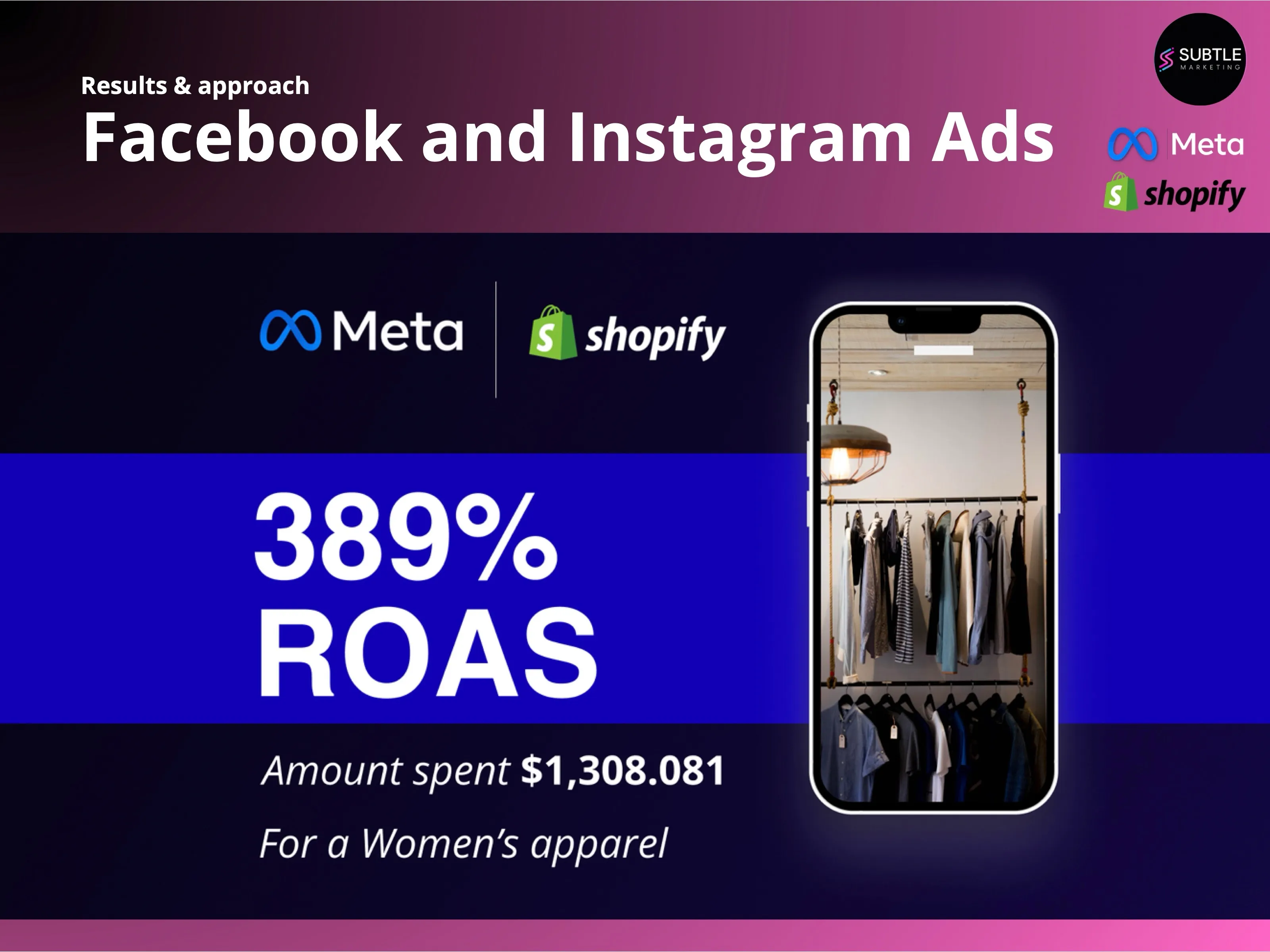
Blended return on ad spend
A Shopify women's apparel brand came to us with a 42% higher cost per conversion than target and campaigns that would not scale. Six months later the account was spending $26,849 a day at a 389% blended ROAS.
Read case study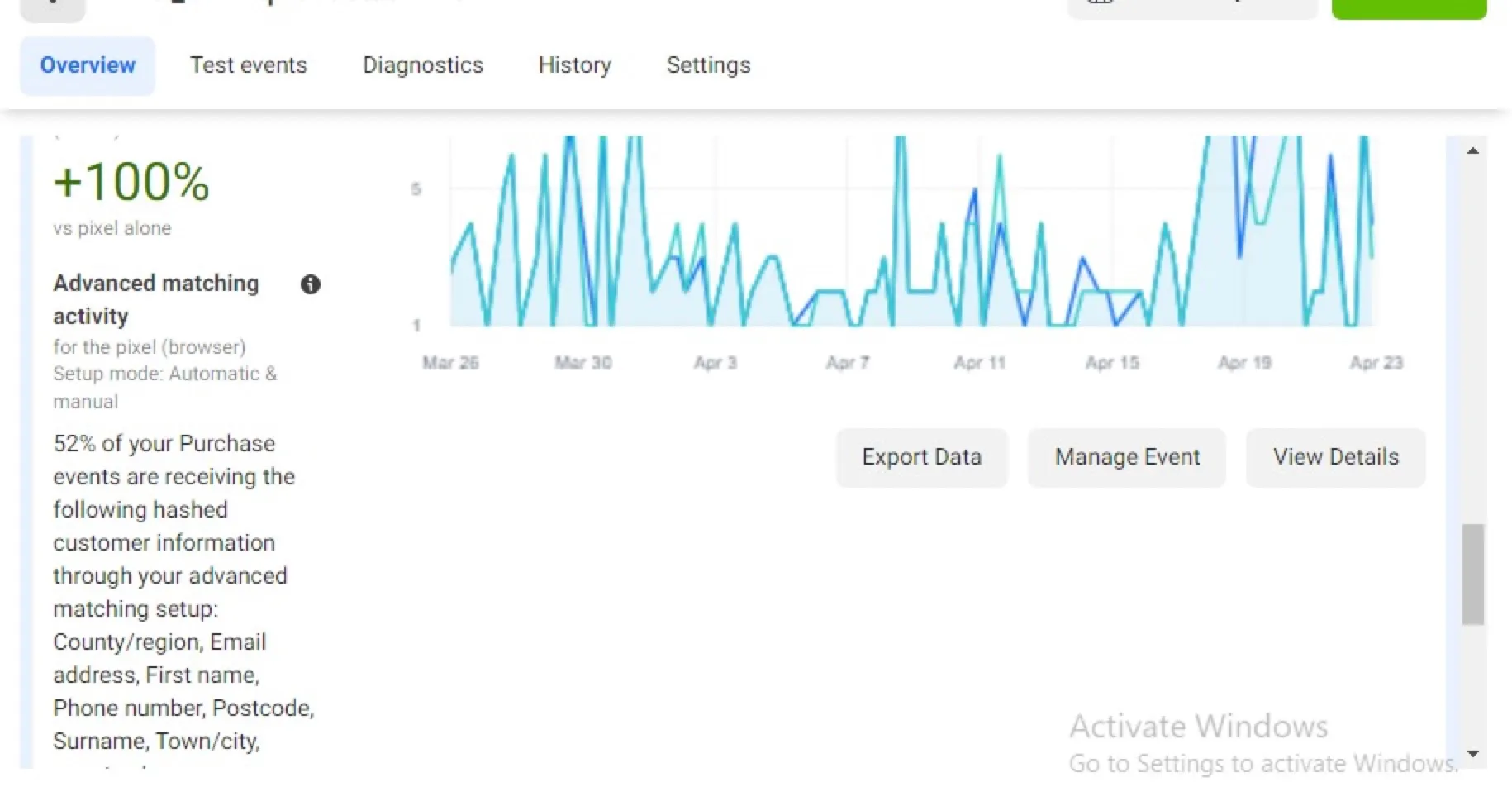
Meta Conversions API and GA4 server-side tracking via GTM
- Deployed a server-side Google Tag Manager container and routed GA4 and Meta events…
- Implemented the Meta Conversions API with event deduplication so browser and server…
- Enabled advanced matching so hashed customer data (email, phone, name, location)…
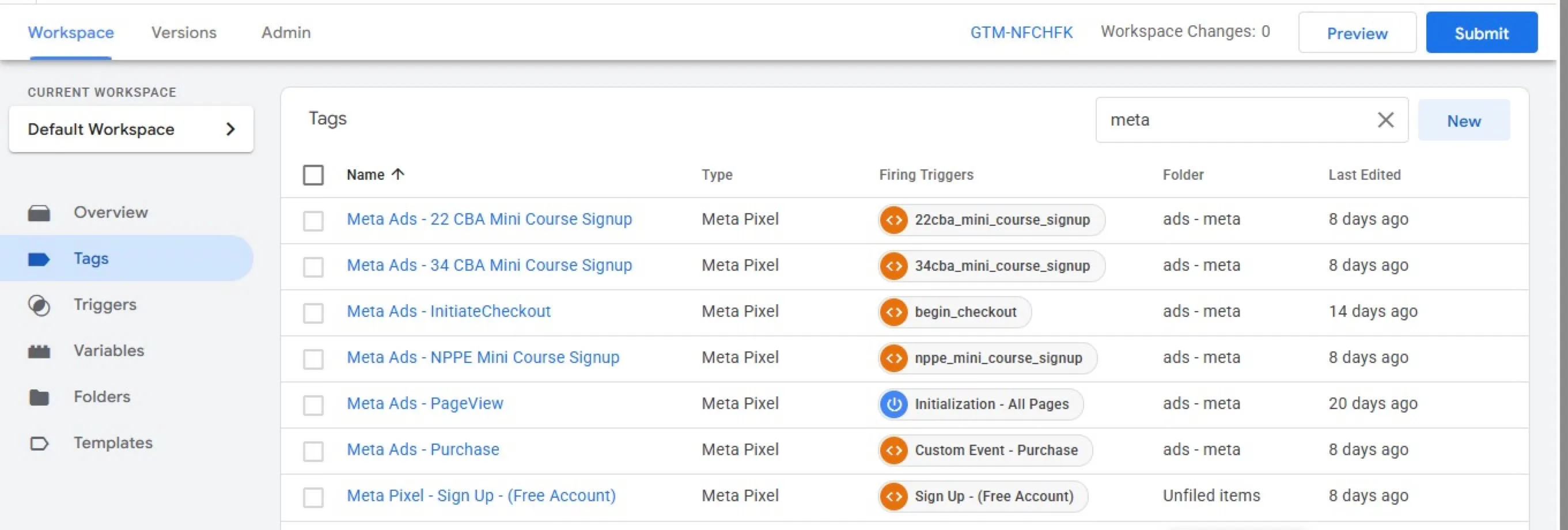
GA4, Tag Manager and Meta Pixel set up for a membership site
- Implemented GA4, Google Tag Manager, Google Ads and the Meta Pixel from one container…
- Fixed revenue tracking in GA4 and the Pixel and configured Google Ads conversions for…
- Investigated duplicate Meta Purchase events and identified a separate Conversions API…