
GA4 says one number, Shopify says another
Shopify reports £84,000, GA4 reports £71,000, and the ad platforms between them claim more revenue than you actually made. Some of that gap is normal. Some of it is a bug.
Shopify says you did £84,000 last month. GA4 says £71,000. Meta claims £52,000 of it and Google Ads claims £41,000, which between them is more than the store actually took. Somebody has to put a figure in a slide by Thursday.
Here is the thing worth knowing before you spend a week on it: three of those four numbers are supposed to disagree, and one of the gaps is probably a bug. The skill is telling them apart quickly, because the fix for an expected discrepancy is a footnote and the fix for a bug is a sprint.
They are counting different things
Not “measuring the same thing imperfectly”. Counting different things.
Shopify counts orders in its database, at the moment the order is created, in the store’s timezone and currency, whether the sale came from the web, a phone call, a draft order or a subscription renewal.
GA4 counts purchase events that reached its servers from a browser, tied to a session, attributed to a channel by its own model, in the property’s timezone.
Meta and Google count conversions they can attribute to a click or view inside their own attribution window, reported against the date of the ad interaction rather than the date of the order. That last detail alone explains a lot of month-end confusion, and it is why platform totals sum to more than you earned: both platforms will claim the same sale. We cover the practical version of that problem in Meta Pixel versus the Conversions API.
So the only correct framing is: Shopify is the financial truth, GA4 is a comparison tool for channels, and the ad platforms are each grading their own homework.
Why GA4 is nearly always lower
Every one of these removes real revenue from GA4 and leaves it in Shopify:
- Consent. If your banner blocks analytics until acceptance, every refusal is an invisible order. A refusal rate in the double digits is common in the UK and EU.
- Ad and tracker blockers. Browser extensions, Safari’s protections and some networks drop the request outright.
- Early exits. The visitor closes the tab on the thank-you page before the tag fires. Rare per order, not rare across thousands.
- Non-web orders. Phone orders, draft orders, POS, and subscription renewals that never involve a browser session.
- Cross-device. Research on mobile, buy on desktop. GA4 may stitch these with User-ID or Signals, and often cannot.
- Refunds and cancellations. Shopify nets these off when you look at net sales; GA4 only knows about them if you send a
refundevent, which most stores never implement.
Add those together and a 3 to 8 per cent shortfall is the normal state of a correctly configured store. It is not worth fixing. It is worth writing on the dashboard so nobody re-litigates it every month.
Bug or quirk? The diagnostic table
| Symptom | Likely cause | Fix |
|---|---|---|
| GA4 revenue 3-8% below Shopify | Consent, blockers, non-web orders | Nothing. Document it and move on |
| GA4 revenue above Shopify | Duplicate purchase events |
Find the second source and remove it |
| GA4 revenue 30-60% below Shopify | Tag not firing on all payment methods, or a checkout extension bypassing it | Test every payment route, including Shop Pay, PayPal and Apple Pay |
| Transaction count matches, revenue does not | Tax and shipping included on one side only, or currency not converted | Align what value contains; set the currency explicitly in the event |
| Daily totals match, monthly do not | Property timezone differs from store timezone | Set both to the same timezone and recheck |
| Revenue present, no channel attribution | UTMs missing or stripped, referrer lost on a payment redirect | Fix UTMs; add the payment domain to referral exclusions |
| Revenue dropped to near zero on one date | A theme update, app change or GTM container publish | Check the GTM version history against that date |
| Sudden 100% direct traffic | Tracking firing after a redirect that loses the referrer | Check the checkout flow for intermediate redirects |
Two rules of thumb. GA4 higher than the platform is always a bug. GA4 lower by more than about a quarter is a bug until you have proved otherwise.
The data layer check, in order
An hour of this settles most arguments. Do it on a real test order, not a staging site.
- Open GA4 DebugView. Admin > DebugView, with the GTM preview or the GA Debugger extension active.
- Complete one test order at a known value, with tax and shipping, using your most common payment method.
- Count the
purchaseevents. Exactly one. If two appear, you have duplication and that is your whole problem. - Inspect the event parameters. You need
transaction_id,value,currency, and anitemsarray withitem_id,item_name,priceandquantity. A missingcurrencymakes GA4 assume the property default, which quietly mangles multi-currency stores. - Compare
valuewith the Shopify order total. Decide whether tax and shipping are in or out and apply that decision on both sides of your reporting, forever. - Repeat for every payment method. Shop Pay, PayPal, Apple Pay and any local method. Each can follow a different redirect path, and it is normal to find one of them broken while the others are fine.
- Check distinct IDs at scale. In an Exploration, put
transaction_idas a dimension against event count. Any ID appearing more than once is duplication you can quantify.
Duplicate purchase events: the most common real bug
Duplication is usually historical. Someone installed a GA4 app, then the theme got a hard-coded snippet, then GTM was added with its own purchase tag, and nobody removed the earlier one. Now one order fires two or three events.
Where to look, in order:
- Shopify admin > Settings > Customer events, for pixels added as custom events.
- The theme’s
checkout.liquidor thank-you-page additional scripts on older stores. - Any analytics or marketing app that offers “GA4 integration” as a feature.
- GTM: more than one GA4 Event tag with an event name of
purchase, or one tag on both apurchasedata layer trigger and a thank-you-page view trigger. - Order status page refreshes firing again on reload, if the event is bound to page view rather than to a data layer push with a deduplication key.
Fix it by choosing a single source of truth. We use one GTM container reading a server-rendered data layer, and we delete everything else rather than trying to make the sources agree. Inflated revenue in GA4 is worse than missing revenue, because it makes bad channel decisions look good and you will scale the wrong campaign. If your reports are telling you a channel is profitable and your bank balance disagrees, that is the same root cause behind most of the wasted Google Ads spend we find in audits.
What tolerance to write down
Agree this once and put it on the dashboard so the question stops recurring:
- Shopify, or whatever takes the payment, is the revenue number. It is the only one that goes in a board pack.
- GA4 is expected to be lower, and the accepted gap is whatever you measured during a clean month. Under 5 per cent needs no comment.
- Platform-reported ad revenue is for comparing campaigns within that platform, not for totalling across platforms. Benchmarks for what good looks like per channel are in our notes on a good ROAS by industry.
- Blended performance is total spend divided into Shopify revenue. Simple, unarguable, and the number we would actually run a business on.
What this looks like when we do it
For a membership site where revenue tracking was broken in both GA4 and the Pixel, the symptom was reported revenue that no one believed and therefore nobody used. Rebuilding the event layer meant the numbers could be acted on again. On Shopify we build the GA4 e-commerce data layer without relying on apps, because every app that adds its own events is another source to deduplicate later.
Your next step is cheap: place one test order and count the purchase events in DebugView. If there is more than one, you have found it. If there is exactly one and the value is right, your gap is attribution and you can stop worrying about it. If you would rather have someone go through the container, the theme and the consent setup properly, that is what our tracking and analytics work covers, and the free audit includes a look at your setup before the call.
Common questions
Why is GA4 revenue lower than Shopify revenue?
Because GA4 only counts purchases it was allowed to measure. Consent refusals, ad and tracker blockers, users leaving before the tag fires, and orders created by phone, draft order or subscription renewal all exist in Shopify and never reach GA4. A gap of a few per cent in that direction is normal.
What is an acceptable difference between GA4 and Shopify?
Our working rule across the accounts we audit: under 5 per cent is fine, 5 to 10 per cent is worth a quick check, past 10 per cent needs diagnosing, and past 25 per cent means stop reporting on it until it is fixed. GA4 should be the lower of the two. If it is higher, that is a bug.
How do I check for duplicate purchase events in GA4?
In an Exploration, compare the count of purchase events with the count of distinct transaction IDs for the same date range. If events exceed distinct IDs, something is firing twice. Also check DebugView while completing a test order and count how many purchase events appear for one checkout.
Why does Meta report more revenue than GA4 and Shopify?
Meta and Google attribute a conversion to the ad click that preceded it, within their own attribution window, and report it on the click's date. GA4 uses its own model, by default crediting the last non-direct channel. Shopify counts the order. Three definitions, three numbers. Compare trends between platforms, not absolute totals.
Should I trust GA4 or Shopify for revenue reporting?
Shopify, or whatever system takes the money, for actual revenue and anything financial. GA4 for how channels and campaigns compare to each other. Never report GA4 revenue to a board as revenue. Use it to decide where budget goes and reconcile the totals in the platform.
Proof from our work
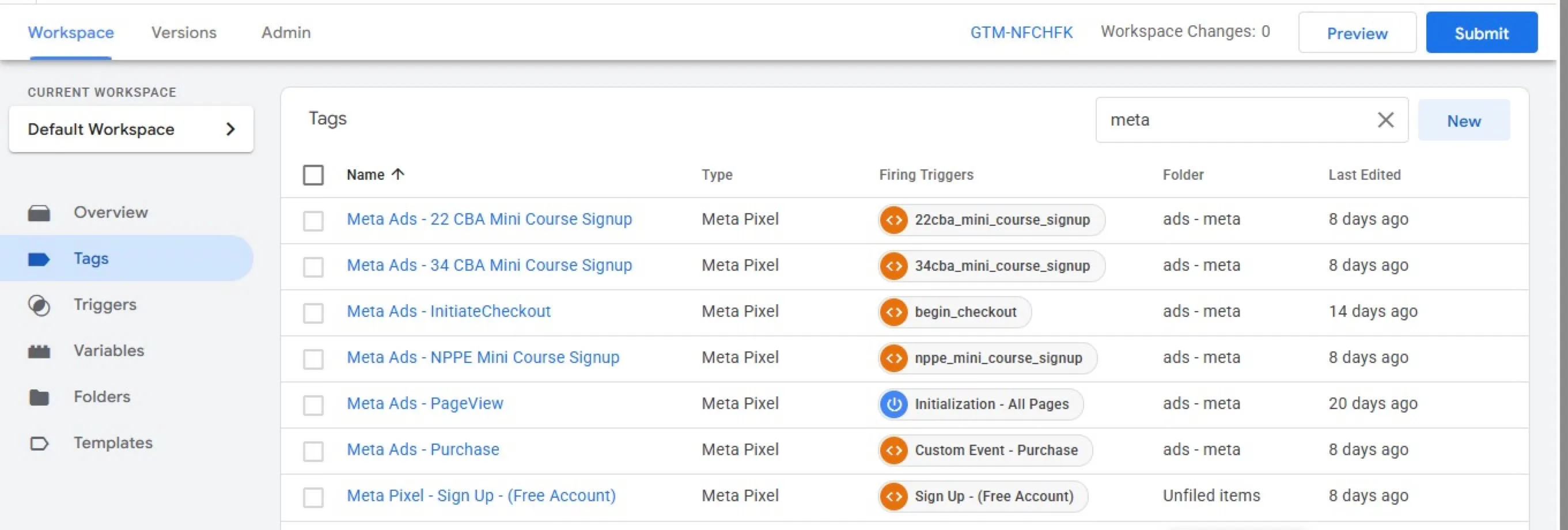
GA4, Tag Manager and Meta Pixel set up for a membership site
- Implemented GA4, Google Tag Manager, Google Ads and the Meta Pixel from one container…
- Fixed revenue tracking in GA4 and the Pixel and configured Google Ads conversions for…
- Investigated duplicate Meta Purchase events and identified a separate Conversions API…
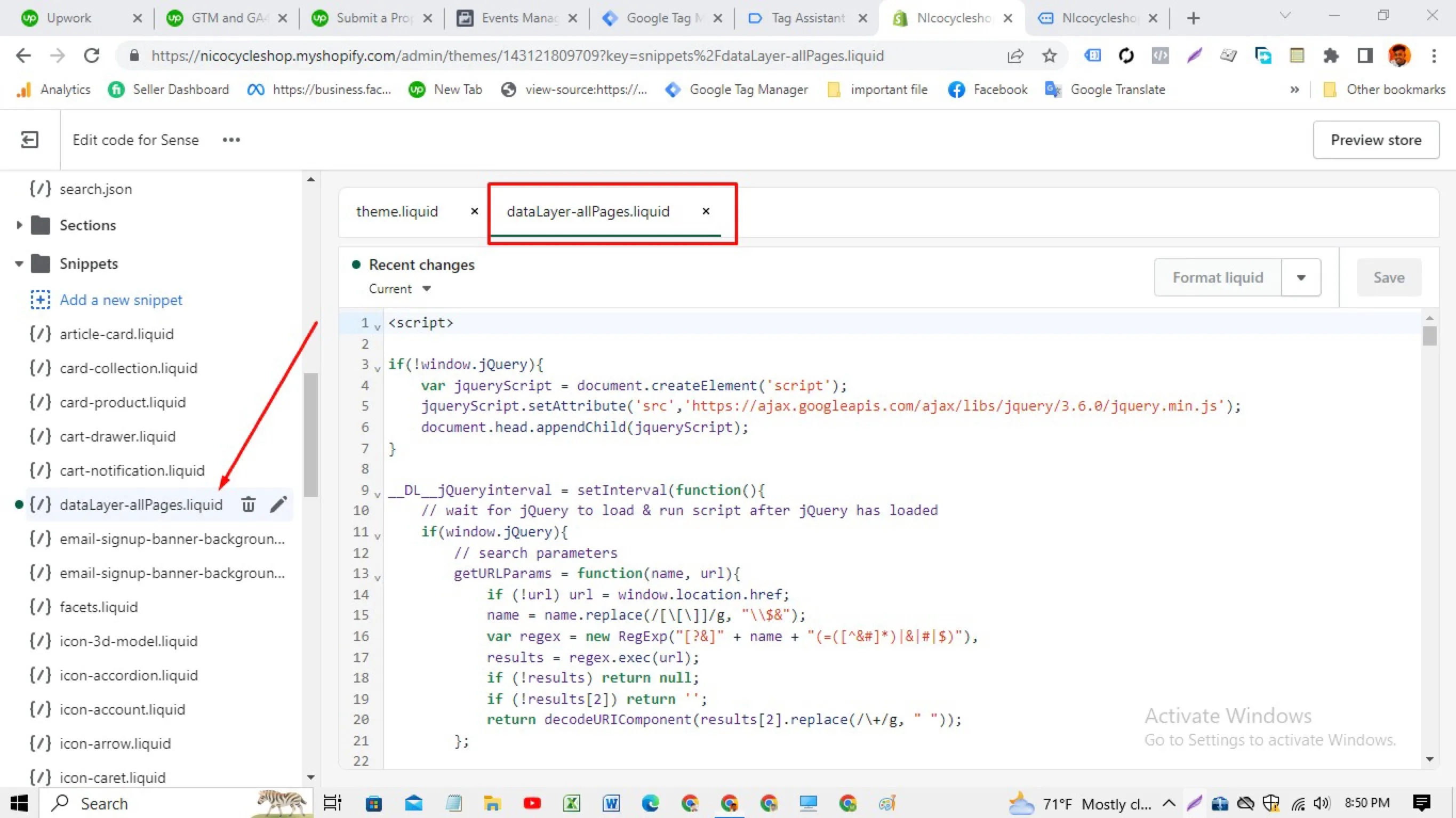
Shopify data layer built in the theme, with no tracking apps
- Wrote a data layer snippet in the theme's Liquid files that outputs product,…
- Loaded Google Tag Manager from the theme and built the GA4, Google Ads and Meta tags…
- Verified with Google's Tag Assistant that the container and events fire on each template
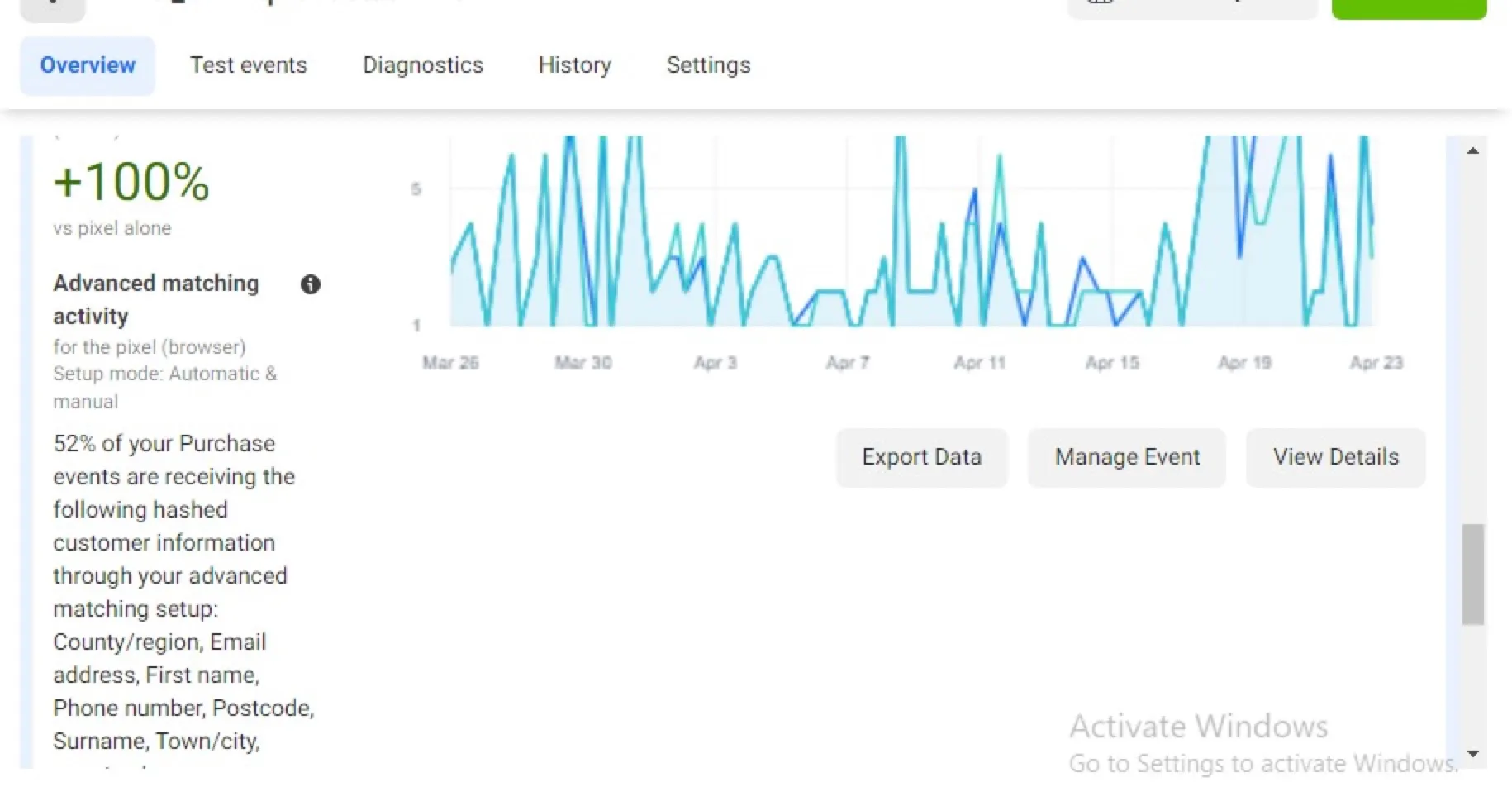
Meta Conversions API and GA4 server-side tracking via GTM
- Deployed a server-side Google Tag Manager container and routed GA4 and Meta events…
- Implemented the Meta Conversions API with event deduplication so browser and server…
- Enabled advanced matching so hashed customer data (email, phone, name, location)…